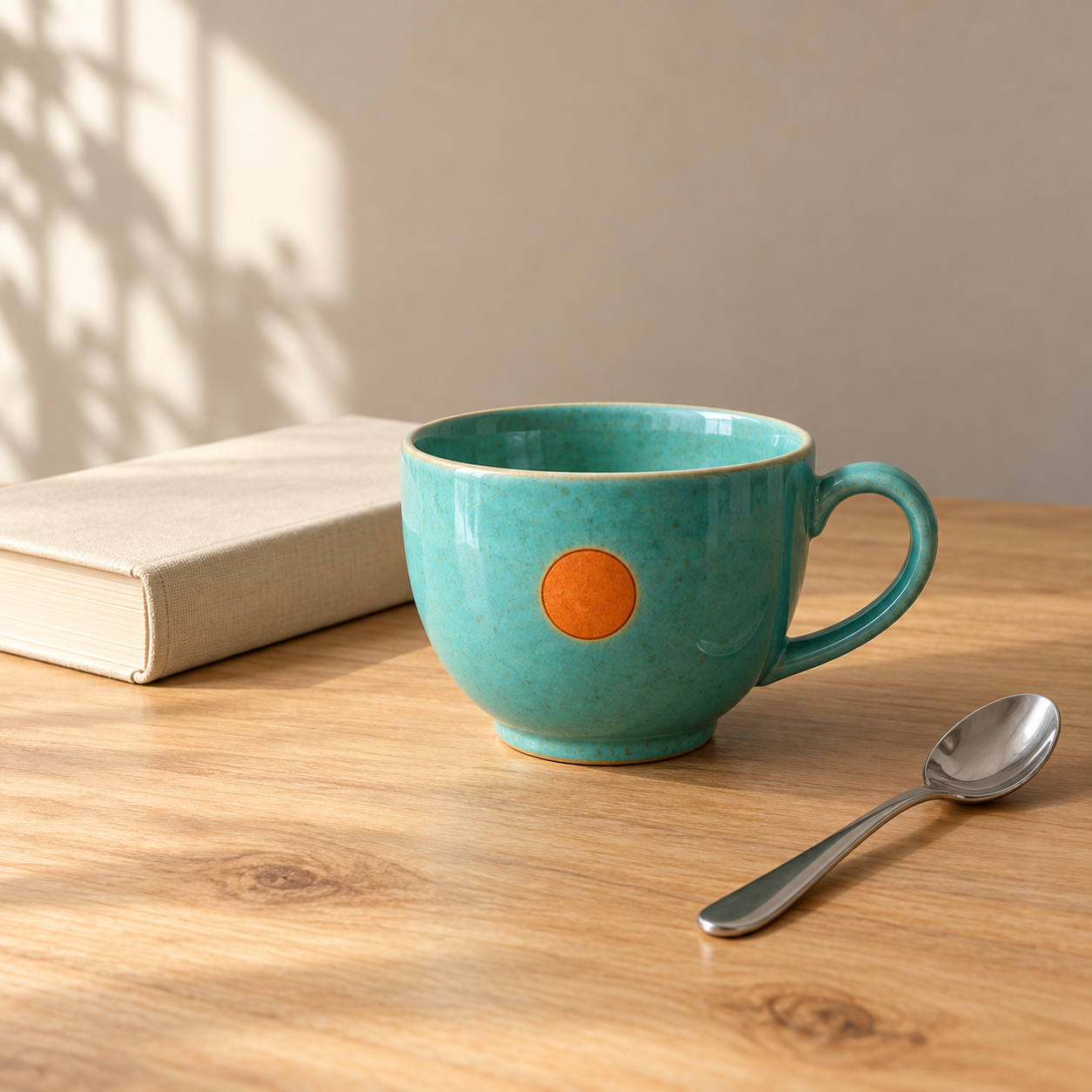
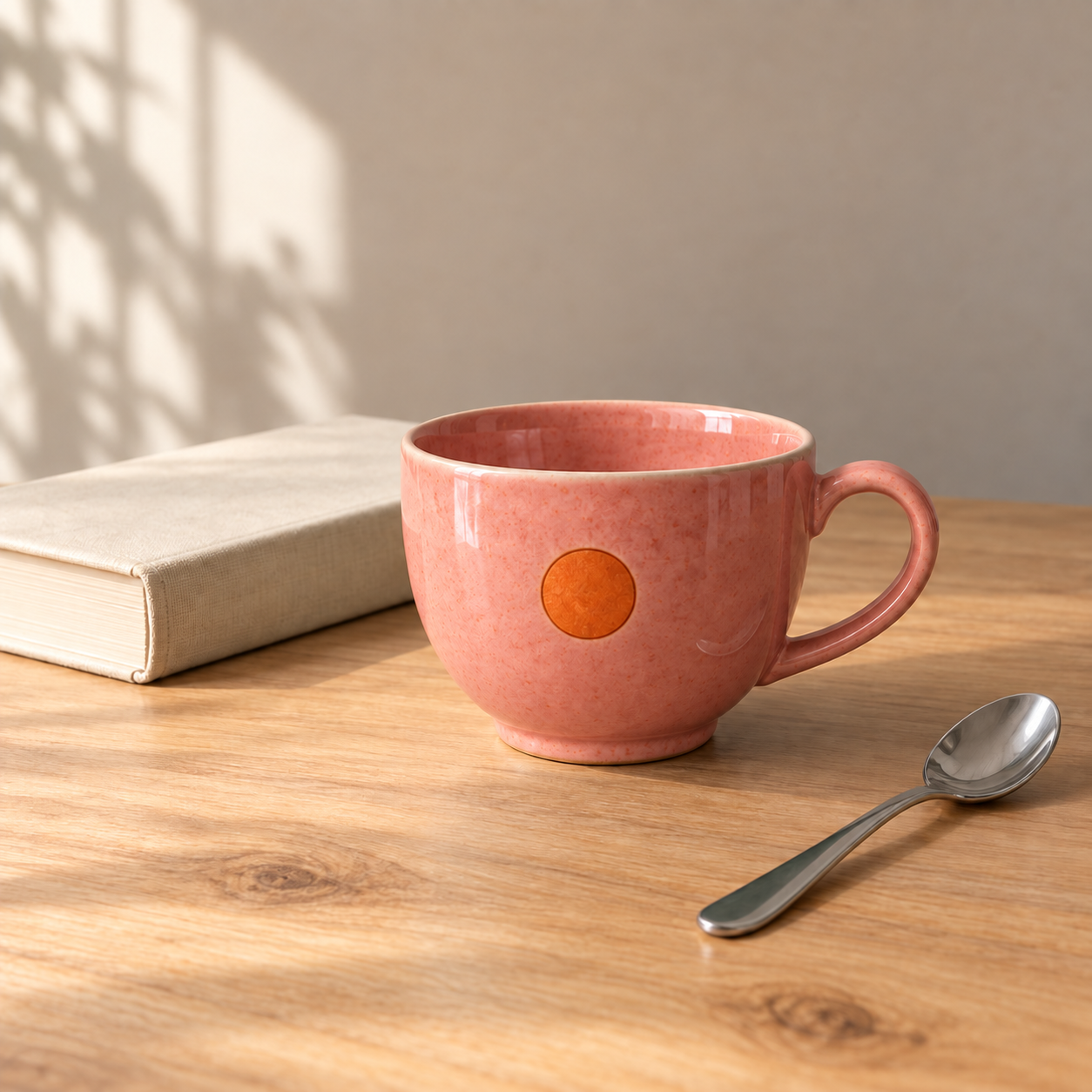
We asked an AI image tool to turn a turquoise cup coral pink while keeping the scene intact. The first returned edit made the colour change immediately visible. The orange emblem, curved handle, cream book and metal spoon remained recognisable in broadly the same positions.
That is a useful result. It is also a narrower claim than saying the rest of the image was perfectly preserved.
What we actually did
REVL created the original still life with the built-in OpenAI image tool, then supplied that image to the same tool for editing. We made one original generation request and one edit request. The before and after images shown here are those returned outputs, without manual retouching. The video adds comparison wipes, matched crops, labels and narration.
The original generation did not meet every request: part of the book was cropped despite our request for comfortable margins. We retained it rather than rerunning the generation. This matters because a polished final image alone does not tell you how many attempts were needed.
The edit instruction
Use case: precise-object-edit. Edit the supplied image. Change only the turquoise ceramic glaze of the cup, including its handle and inner glaze, to coral pink. Preserve the small orange circular emblem, cup shape, handle geometry, glaze texture, book, teaspoon, wood grain, lighting, shadows, camera angle and framing. Do not add or remove anything. Return the edited image alone.
What the comparison shows
The requested colour change is clear. At normal viewing size, the arrangement remains very similar. Our close-ups use the same source coordinates so viewers can examine the emblem, handle and surrounding objects rather than relying only on the overall impression.
We do not claim pixel-identical preservation. Surface texture and tiny details should be inspected independently of the main edit. For work where exact appearance matters, looking only at the changed object is an incomplete check.
What this example cannot tell you
This is one example, not a success-rate study. It starts from an AI-generated scene, not a photograph of a real product. The tool did not expose its exact model identifier, so we cannot attribute the result to a particular named image model or use it to rank models. We did not measure comparative speed or cost.
This is a practical demonstration, not a claim that a new model launched today. OpenAI's image prompting guide documents editing examples that specify both the requested change and what should remain. Its image generation guide explains generation and editing workflows. Those sources describe capabilities; the images here are our own experiment.
A useful habit
Write down the change you want and the properties you need to preserve. Keep the original. Compare the result at full size, including areas outside the requested edit. An attractive image and a faithful edit are related goals, but they deserve separate checks.
Experiment recorded 28 September 2026. AI-generated images and synthetic narration. Full prompts, attempt counts and source-file hashes accompany the package.
OPEN NOTEBOOK
The instructions, in full.
Original generation prompt
Use case: product-mockup. Create a single photorealistic editorial product photograph, square composition. A turquoise ceramic teacup with a small clearly visible orange circular emblem on its front, a rounded handle on the right, standing on a pale warm wood table. A closed cream hardcover book lies behind it on the left, and a stainless steel teaspoon lies on the table to the right. Soft natural daylight from the left, restrained warm background, premium clean still life. The entire cup, book and spoon are visible with comfortable margins. No text, no logos, no extra objects. This is the original image for a controlled image-editing demonstration, so use crisp identifiable geometry and details.
Edit prompt
Use case: precise-object-edit. Edit the supplied image. Change only the turquoise ceramic glaze of the cup, including its handle and inner glaze, to coral pink. Preserve the small orange circular emblem, cup shape, handle geometry, glaze texture, book, teaspoon, wood grain, lighting, shadows, camera angle and framing. Do not add or remove anything. Return the edited image alone.
Tool: built-in OpenAI image tool. Exact model identifier not exposed. First returned edit retained. These files are the original tool outputs.
REVL / AI IN PRACTICE
Useful capabilities.
Visible evidence.
Original demonstrations, clear explanations, and the details that matter.